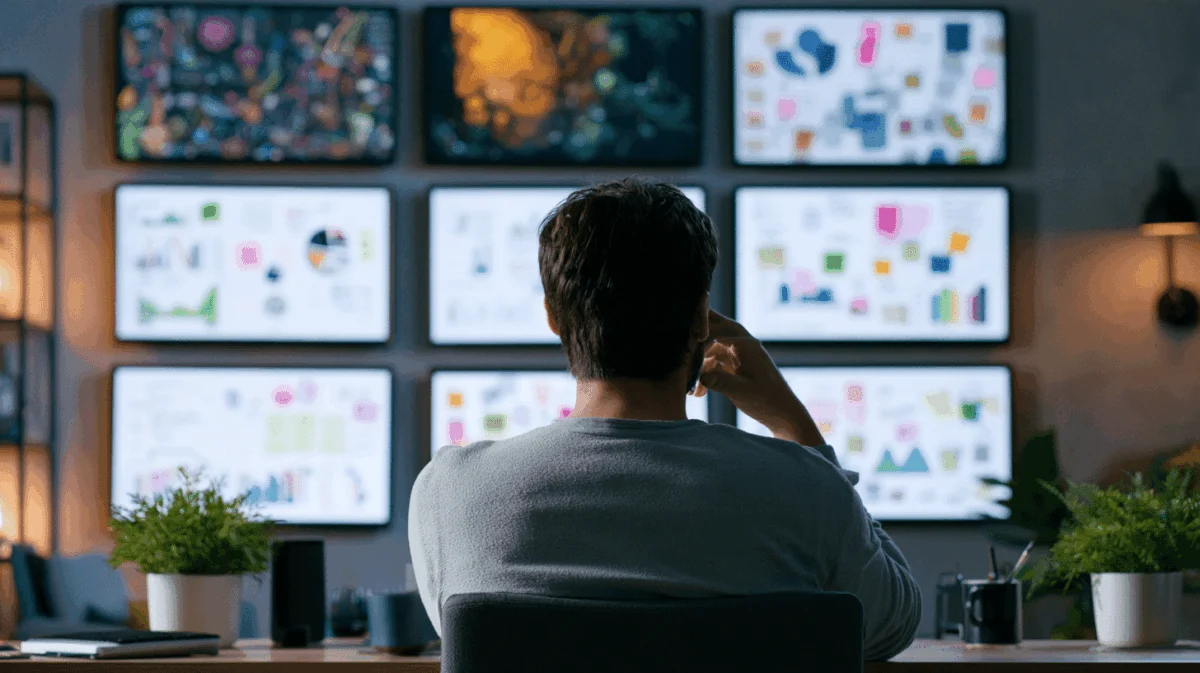
In an era where remote work has redefined the modern professional landscape, independent contractors and freelancers are continuously searching for ways to optimize their productivity and presence. While much of the conversation around home offices typically centers on ergonomic chairs, mechanical keyboards, and high-resolution webcams, a new trend is quietly reshaping how solo operators manage their workflows and project themselves to clients. A growing segment of the freelance workforce is abandoning traditional multi-monitor desktop configurations in favor of standalone monitor walls—leveraging enterprise-grade display strategies at consumer-friendly price points.
For many independent operators, the standard workstation consists of a laptop, an external mouse, and perhaps a secondary display picked up during a seasonal sale. However, industry observers note a distinct shift toward ambient display setups. By deploying secondary or tertiary screens that operate independently of a primary machine, freelancers are finding innovative ways to maintain constant visibility over crucial metrics, ranging from active client launch countdowns to overdue invoices and financial cash flow trackers.
What a Monitor Wall Actually Does for a Freelancer
Unlike a traditional secondary monitor plugged directly into a laptop—which typically mirrors or extends an active desktop session—a dedicated monitor wall functions autonomously. These screens run on their own hardware brains, maintaining continuous visual output regardless of whether the user’s primary laptop is open, asleep, packed away in a bag, or disconnected entirely at a local coffee shop.
For independent professionals operating without the structured environment of a corporate office or a team of managers, this ambient display setup serves as a constant visual anchor. Without a supervisor tapping on a shoulder or a structured office commute to signal the start of a workday, freelancers must deliberately construct their own professional boundaries. A persistent wall display provides that missing structural cue, acting as a physical dashboard for business health.
Observers note that the psychological impact of seeing project milestones, open proposals, and financial obligations displayed prominently in the background can significantly alter daily habits. Rather than forcing a user to manually open tabs, toggle applications, or hunt through project management software, critical operational data remains constantly in view.
Why the Hardware Player Matters More Than the Screen
The technical secret behind a successful independent

monitor wall lies not in the display panel itself, but in the small hardware player driving it. Early attempts by remote workers to rig up secondary screens often involved running long HDMI cables from a laptop or dragging browser windows across extended desktop spaces. These setups frequently fail due to power management settings, laptop closures, or software reboots that wipe out carefully arranged browser tabs.
To maintain continuous uptime, modern independent setups rely on dedicated digital signage hardware sticks—compact devices running streamlined Android operating systems that connect via HDMI. These pocket-sized players are capable of pushing high-definition or 4K resolution, managing split-screen zones, and connecting seamlessly over both Wi-Fi and Ethernet networks.
Equally important to the hardware selection is remote management capability. Industry veterans emphasize that if updating a screen requires physically plugging in a USB drive or navigating complex local network configurations, the system will quickly fall into disuse. Modern signage players allow users to log into a cloud-based portal from a smartphone or secondary device, making it effortless to swap out dashboards, update timelines, or refresh metrics on the fly.
The Room-Reading Effect Nobody Talks About
Beyond personal productivity and workflow management, the introduction of a deliberate display wall yields an unexpected byproduct during virtual client interactions. As remote video calls remain a cornerstone of modern business negotiations, the physical environment visible behind a freelancer plays a subtle yet powerful role in shaping client perception.
Independent operators who have integrated ambient displays into their home offices report that prospective clients frequently notice the organized, deliberate nature of the background setup. During video consultations, background screens tracking rebrand timelines, project progress, or general operational metrics often serve as immediate conversation starters. While a monitor wall does not replace technical skill or creative expertise, it provides visual proof of organization and proactive project tracking before a single document has even been opened.
This psychological edge aligns with the broader reality of independent work, where success is rarely secured through a single massive breakthrough. Instead, sustained freelancing success relies on accumulating numerous small advantages—consistently projecting reliability, preparedness, and professional competence over extended periods.

What to Display (and What to Definitely Skip)
While the possibilities for ambient screen content are virtually limitless, experienced users warn against the risks of overexposure or data leakage. The ideal content strategy focuses on macro-level operational health rather than granular, confidential details.
Recommended content includes active project milestones, monthly proposal tracking tallies, the aging status of unpaid invoices, upcoming appointment schedules, and broad weekly targets. Conversely, privacy advocates and remote work veterans strongly advise against displaying live email inboxes, personal calendar feeds, or sensitive client data that features confidential figures and proprietary names.
The risk of accidental data leakage during shared-screen video conferences is exceptionally high if secondary monitors sit within the camera’s field of view. Maintaining generic, high-level metrics—such as general logos, completion percentages, structured dates, and numerical counts—ensures that background displays remain professional and secure under all circumstances.
Addressing the Remote Work Structure Gap
Critics of home-office display enhancements often argue that solo operators working from residential spaces have little need for elaborate workspace setups, particularly if clients rarely visit in person. However, workspace consultants emphasize that home-based freelancers face a unique psychological challenge: the complete absence of physical office infrastructure.
Without a physical commute, shared breakrooms, or physical colleagues, remote workers must invent their own professional gravity. A dedicated monitor wall bridges this gap, serving as the digital equivalent of an office whiteboard or executive briefing room. While coworking spaces provide this environmental structure naturally for those who choose to pay for memberships, a home-based display setup offers a cost-effective alternative for professionals operating out of dedicated residential offices.
The Broader Economic Shift Toward Solo Enterprise
The growing adoption of enterprise-grade display technology by individual operators reflects a broader, long-term evolution in the American workforce. According to data from the Bureau of Labor Statistics, self-employment and independent contracting have maintained a stable and growing presence within the modern economy for decades.

As the independent workforce matures, the technological ecosystem surrounding it has evolved in parallel. Hardware and software solutions that were once restricted to high-budget corporate IT departments—such as digital signage players, remote display management portals, and cloud-synced dashboards—have dropped significantly in price. Today, a single professional operating out of a home office can deploy commercial-grade infrastructure for a fraction of the cost required a decade ago.
This convergence is mirrored in broader administrative policies as well. Government procurement frameworks and small business initiatives increasingly recognize the autonomy and economic footprint of independent enterprises. While regulatory definitions focus primarily on administrative compliance, the underlying trend remains clear: the traditional boundary separating large corporate operations from solo entrepreneurs continues to blur, with consumer-accessible technology following suit.
Looking Forward
For independent professionals seeking to refine their operational efficiency and elevate their professional environment, the barrier to entry has never been lower. By utilizing affordable hardware players, repurposing existing spare monitors, and curating a disciplined selection of visible metrics, remote workers can construct a sustainable digital workspace.
As the freelance economy continues to expand and adapt to new models of remote collaboration, the tools utilized by independent professionals will only grow more sophisticated. For now, the fundamental playbook remains straightforward: identify the operational metrics that drive business growth, secure the right hardware to keep them visible, and build a workspace that reflects the professional standard you intend to deliver.