By Chris Vasquez | June 24, 2026
The strategic placement of a digital signup form can fundamentally alter who chooses to fill it out and engage with a brand. Digital marketing experts have long understood that an inline form embedded directly within core content interacts with a visitor who is already deeply engaged, reading thoughtfully, and absorbing information mid-flow. Conversely, a traditional form tucked away in a static sidebar typically captures the attention of someone merely scanning the page. Recognizing this dynamic, email marketing and automation platform AWeber has rolled out a significant update to its AI Signup Form Builder, introducing a streamlined method for creating inline forms and positioning them visually across live websites without requiring any custom coding.
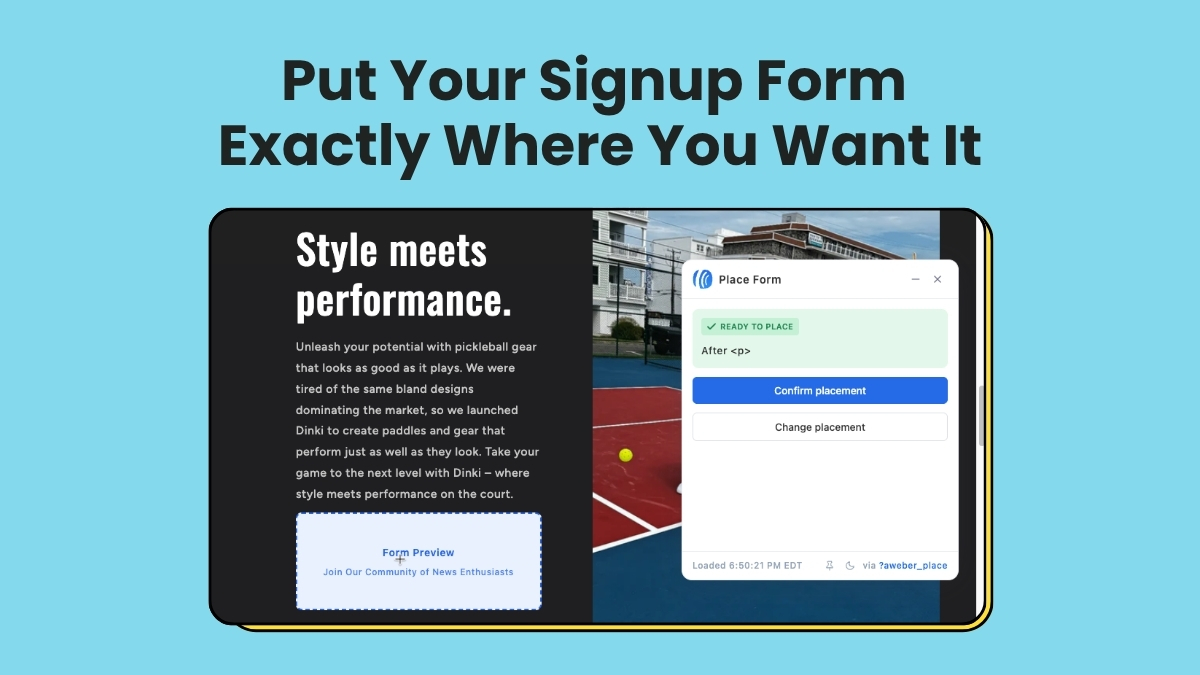
The latest enhancement allows digital creators, small business owners, and marketing professionals to pick a precise spot on a live web page, confirm the selection, and instantly embed a fully functioning signup form. This development aims to bridge the traditional gap between design implementation and technical execution, removing developers and complex HTML snippets from the immediate workflow.
Creating Inline Forms in Seconds
To accommodate different creative workflows and personal preferences, AWeber has built three distinct starting points into the updated form builder. Users can begin through a custom prompt by simply describing what they want and indicating that the output should be an inline form tailored for a website. Alternatively, a fill-in-the-blanks approach allows creators to answer a series of straightforward prompts and select the option for a form that embeds directly on a website. A third option provides access to a comprehensive template gallery, enabling users to browse pre-designed layouts and choose any inline template as a baseline.
Regardless of the initial pathway chosen, all three options converge within the same unified form editor. This environment gives users full control to adjust copy, fine-tune design elements, and configure settings before deploying any assets to a live domain.
Visual Placement Directly on Live Sites
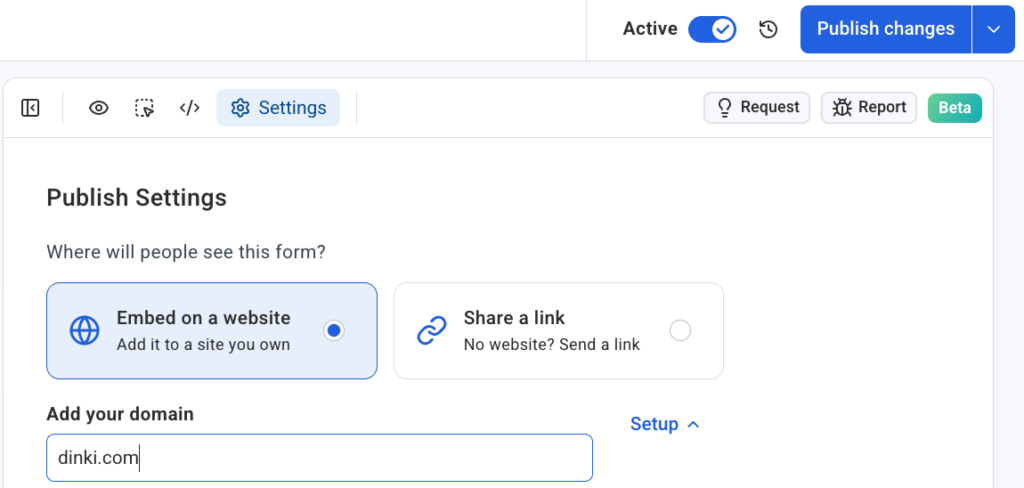
Once the form has been customized to fit a brand’s aesthetic and messaging, the deployment process has been designed to minimize friction. The workflow requires a user to access the settings tab within the form editor, designate the target domain where the form is intended to appear, and verify that the foundational signup form snippet is properly installed on the site. From there, initiating the placement tool opens the live website directly within an active placement widget rather than relying on a static wireframe, simulation, or abstracted preview environment.
This visual interface ensures that users are interacting with real locations across their actual web pages. By clicking on the specific content section where the form should reside and confirming the placement, the digital asset is rendered immediately in the chosen spot.
Compatibility Across Self-Hosted Publishing Platforms
The technical infrastructure supporting this visual deployment is designed to operate seamlessly across a wide array of popular self-hosted sites and content management systems, including WordPress, Shopify, Wix, Squarespace, Lovable, and various other web platforms.
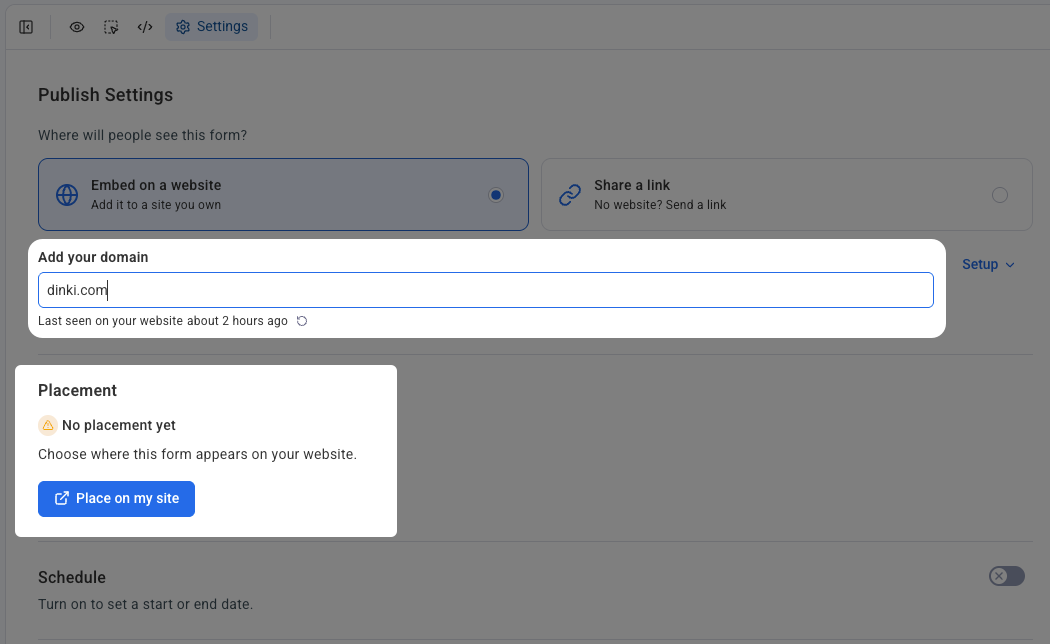
Because each domain connects independently through the platform’s settings menu, users who manage multiple web properties or oversee client accounts can maintain a high degree of organization. Every individual form connects directly to a designated domain, ensuring that placements remain properly categorized and distinct across disparate digital portfolios.
Capitalizing on Existing Reader Attention
The introduction of visual inline form placement addresses a fundamental challenge in digital publishing and audience acquisition: capturing attention precisely where it naturally occurs. Content inherently draws visitors to a site, and an effectively placed inline form capitalizes on that existing momentum by converting readership into subscribers seamlessly. This approach eliminates the friction of redirecting visitors to separate landing pages or hoping they happen to notice a peripheral sidebar element. By integrating the AI-driven tool directly into the publishing workflow, AWeber aims to provide publishers with a more intuitive method for turning casual readers into dedicated community members.