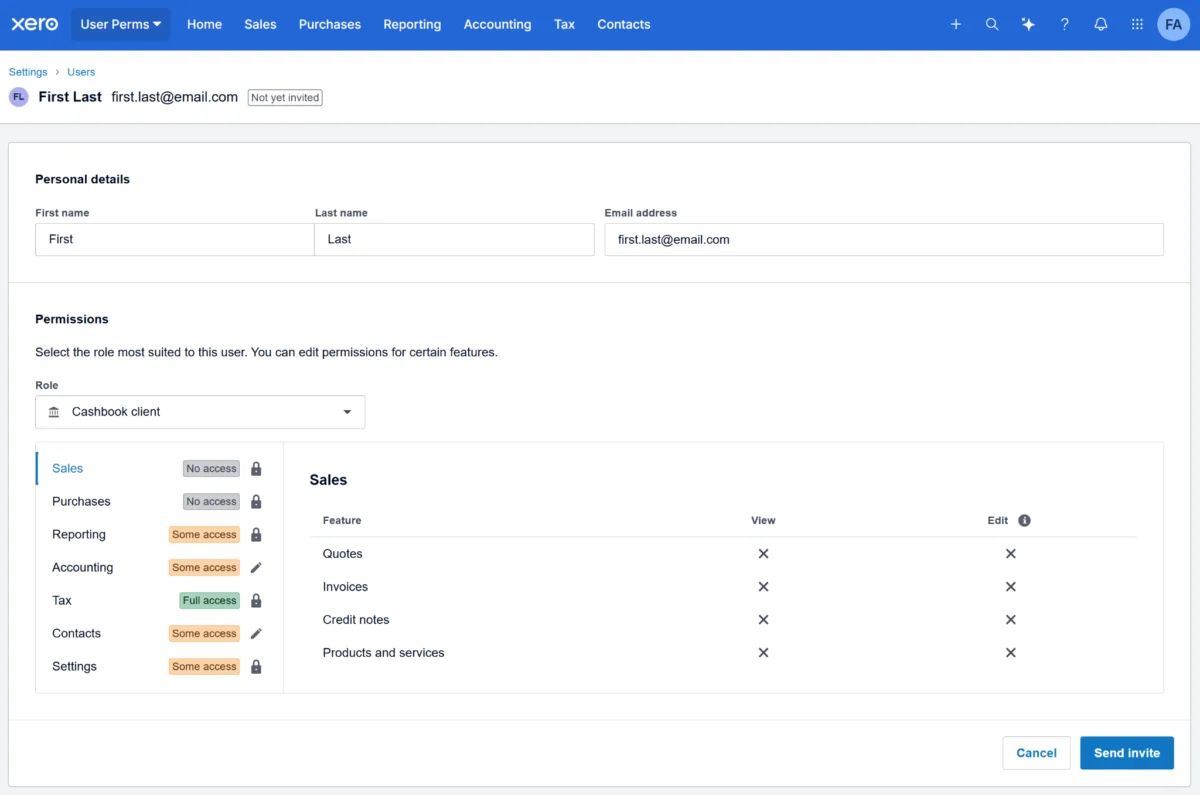
Managing access control in cloud accounting software has historically resembled holding a traditional house key—it was often an all-or-nothing proposition. For small business owners and accounting professionals using Xero, granting an employee or external contractor the ability to raise a purchase order traditionally meant handing over access to sensitive supplier bills. Similarly, allowing a staff member to conduct a stock count required opening up financial data and ledger accounts that they had no operational reason to view.
To bridge this operational security gap, Xero has rolled out a comprehensive overhaul of its user permissions framework throughout the year. Designed to ensure that access rights precisely match specific job functions, the updates give businesses and their advisory partners greater flexibility in managing digital workflows. By breaking down broad, legacy roles into more targeted, modular permissions, the platform is addressing long-standing requests from its user base while maintaining a secure, consistent administrative experience.
Built for You, with You
The evolution of Xero’s permission architecture is the direct result of continuous dialogue between the platform’s development teams and its global community of users. Through formal feedback channels like Xero Product Ideas and ongoing direct conversations with accountants, bookkeepers, and small business owners, user permissions consistently ranked near the top of requested enhancements.
Users routinely voiced practical, highly specific operational challenges: business owners wanted to let temporary contractors raise a purchase order and stop there; they needed to grant staff visibility over inventory without exposing the entire bank feed; and they required the ability to share specific groups of financial reports without opening up the rest of the ledger.
Recognizing that modern businesses rely on diverse teams, external specialists, and tiered responsibilities, Xero’s engineering teams set out to systematically dismantle these functional bottlenecks. The overarching goal is to provide a standardized, intuitive administrative interface that allows businesses to establish precise boundaries for every person who interacts with their company file, regardless of whether they are working in the core Business Edition or utilizing Partner Edition tools.

Access That Fits the Work
The core philosophy guiding the permission updates is that access should strictly mirror actual job requirements. Historically, broad organizational roles created unnecessary compliance risks and administrative friction. Accountants and bookkeepers frequently found themselves acting as internal IT helpdesks, fielding daily requests to adjust permissions or intervening when clients accidentally granted too much visibility to temporary staff.
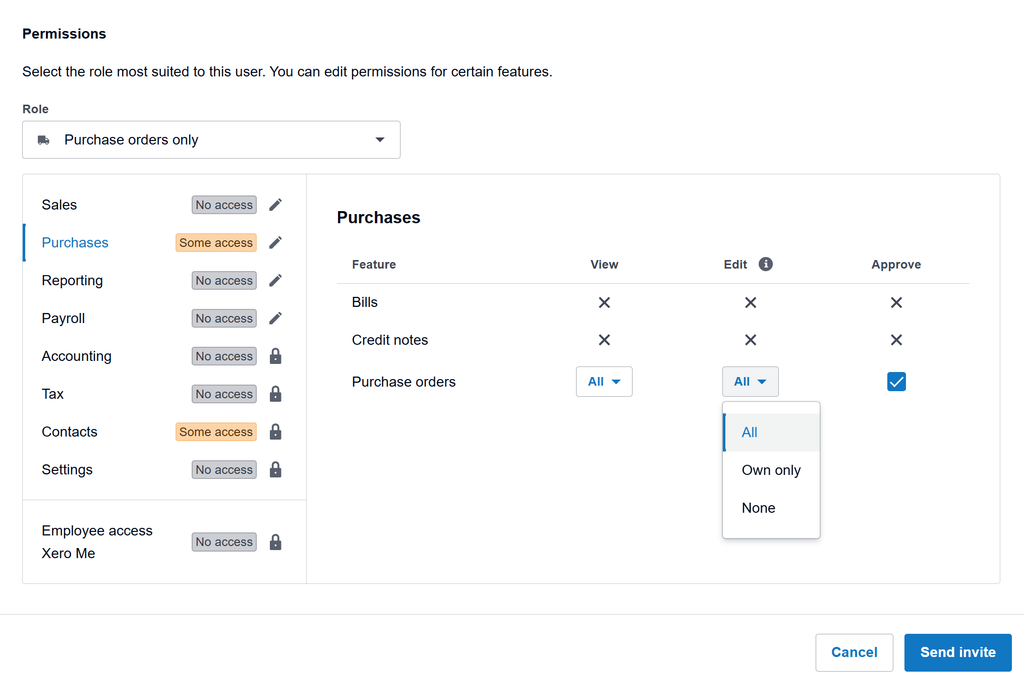
The phased rollout addresses these pain points by structuring permissions hierarchically. The underlying architecture is built so that permissions build logically upon one another: edit capabilities inherently include view access, and approval capabilities encompass editing rights. This systematic design ensures that users cannot inadvertently modify financial data or transactional records that they do not have authorization to view, thereby safeguarding the integrity of the business’s financial records.
What Changed in July and November
The transformation of Xero’s security model began earlier in the year with an initial release in July, which broke down traditional, monolithic roles into much smaller, specialized permission sets. High-level roles such as Payroll Administrator and standard Employee were given distinct, dedicated boundaries, establishing the foundation for more nuanced access control.
Building upon that initial framework, subsequent updates introduced deeper granularity. These enhancements allow administrators to isolate specific functional tasks—such as inventory management, accounts payable entry, or targeted reporting—ensuring that every contributor in an organization operates with the minimum necessary access required to complete their assigned responsibilities.
Impact on Partner Edition and Accounting Practices
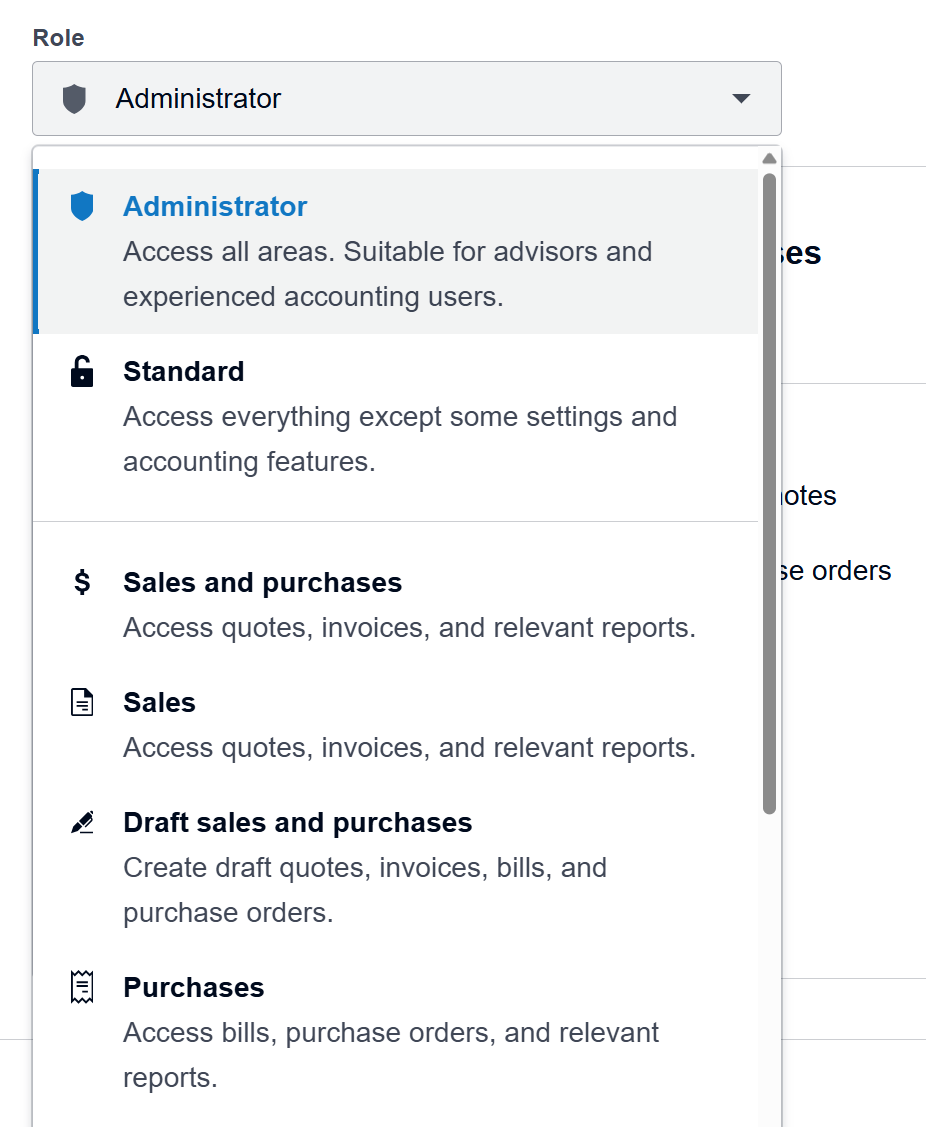
For accounting and bookkeeping practices utilizing Xero Partner Edition, the fundamental security permissions remain entirely unchanged. Practitioners do not need to review, reset, or reconfigure existing client settings or practice-level access protocols.
Instead, the primary update for Partner Edition users is visual and navigational. The Users page within Partner Edition has been updated to mirror the interface used in the Business Edition, creating a unified, seamless experience for professionals who manage multiple client files across different environments.
For practices that look after client accounts, these updates deliver two significant operational benefits. First, advisors now have clear, secure answers when clients ask how to onboard new personnel safely. Whether a newly hired warehouse manager needs to conduct stock counts, a temporary contractor needs to generate purchase orders, or a regional payroll administrator needs to manage timesheets, advisors can implement precise access controls without compromising the security of the broader general ledger.
Second, the updates help reduce the administrative burden on accounting firms. Routine, day-to-day access management requests that traditionally landed on the desks of external advisors can now be handled directly by the business clients themselves, thanks to the more intuitive and forgiving nature of the updated permission settings. This shift frees up valuable time for advisory practices to focus on high-value strategic work rather than routine user administration.
What’s Next for Permissions
Xero’s work on user access control is ongoing, with future developments continuing to be shaped by community feedback, partner engagement sessions, and suggestions submitted through Product Ideas.
Among the primary initiatives currently being explored is the development of custom roles. This feature will allow administrators to create bespoke permission templates that match specialized job descriptions within their specific enterprise, save them under a custom name, and easily reuse them when onboarding future personnel filling the same role.
Another major area of focus is bank account-level access. Xero is investigating ways to allow administrators to set permissions for individual bank accounts, enabling businesses to share necessary financial context with specific team members without exposing the complete financial standing of the broader organization.
Additionally, the company is exploring granular manager access for payroll, which would limit a manager’s payroll oversight to specific, designated employees rather than granting organization-wide visibility.
Parallel to these architectural explorations, Xero is systematically overhauling its reporting framework to align with the new user permissions. The Report Centre, which was originally grouped several years ago, is being reorganized around the practical jobs that people perform within a business. The underlying reports themselves remain unchanged, but they are being regrouped and aligned directly with the user permissions screen to make finding the right report more intuitive. Users will receive advance notification before these reporting group changes take effect in their accounts.
Administrators and practice managers are encouraged to open the Users page within their Xero organization to explore the available permission settings and review the detailed documentation available through Xero Central.