By Sean Tinney | October 14, 2026
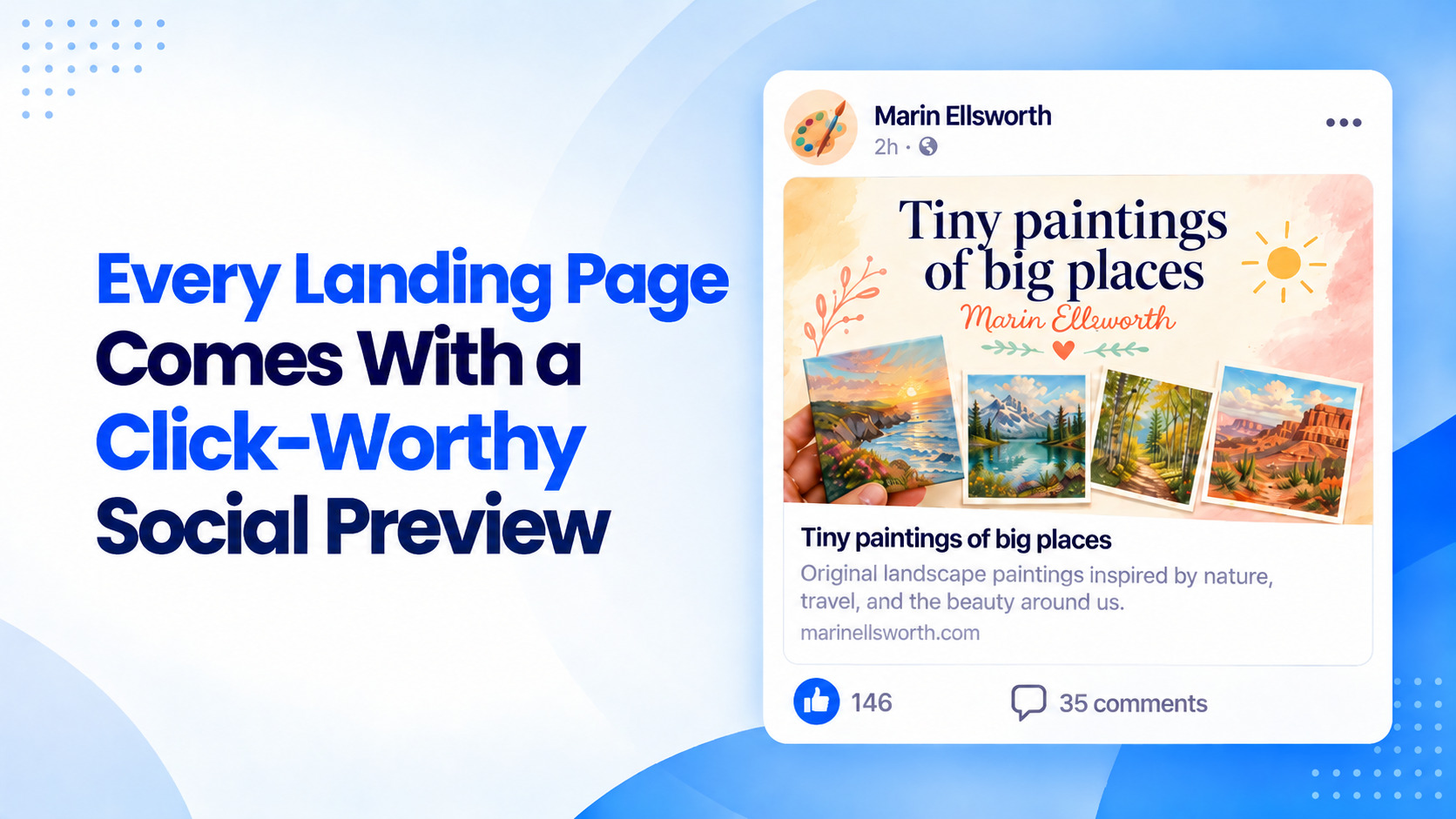
When digital marketers and content creators share a landing page link across social media channels, messaging apps, or email, platforms instantly attempt to generate a link preview. Typically consisting of a headline, an accompanying image, and a brief description, this snippet often determines whether a user stops to engage or simply scrolls past. Recognizing that blank boxes, broken layouts, or irrelevant images frequently cause links to be ignored, email marketing and automation platform AWeber has announced a new automated feature designed to eliminate the friction of manual social media optimization.
Every landing page published through AWeber’s AI Landing Page Builder will now feature a custom social share image and optimized preview text generated automatically. By analyzing the core content of a newly built webpage, the system eliminates the traditional administrative headache of designing, sizing, and coding social metadata tags by hand.
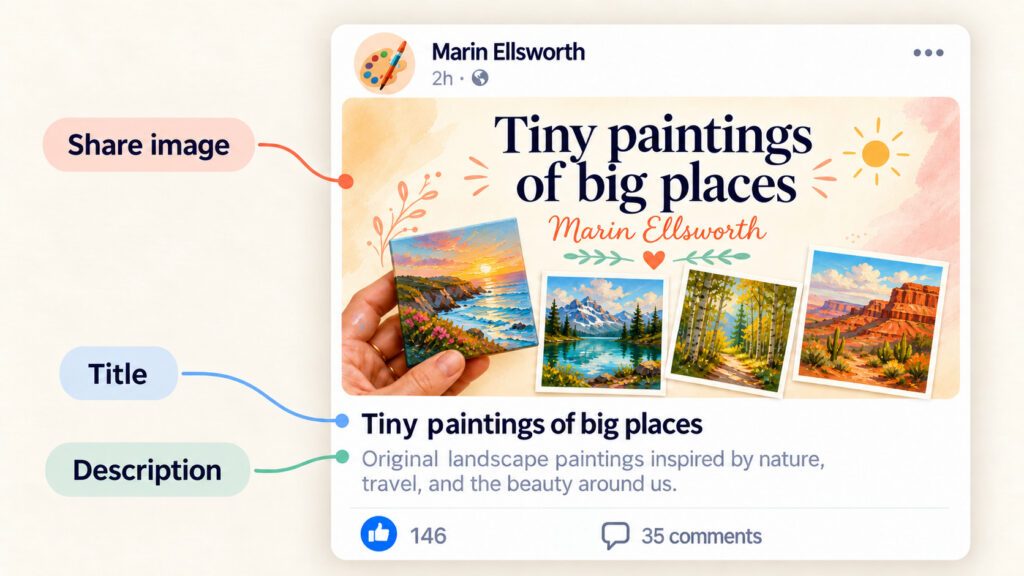
The core of this update centers on the generation of perfectly proportioned Open Graph visuals. Each published page now receives a 1600-by-832-pixel image synthesized directly from the page’s primary headline, core offer, and established color palette. According to platform specifications, this resolution matches the precise aspect ratios utilized by major social and communication networks, including Facebook, LinkedIn, X, and Apple’s iMessage. By adhering strictly to these dimensions, the newly generated graphics display in full across feeds and chat windows without suffering from awkward automated cropping or pixelation.
Alongside the visual asset, the AI engine extracts a short, punchy headline from the page’s existing content. Serving as the primary hook for prospective visitors, this title establishes immediate context before a user decides to click through. It is accompanied by a concise one-to-two-sentence summary derived entirely from the words already present on the landing page. This continuity ensures that the preview accurately mirrors the visitor’s destination, preventing user drop-off caused by mismatched expectations between a promotional post and the landing page experience itself.
How to review your social preview
For creators wishing to inspect these automated assets before sharing their work with the public, the AI Landing Page Builder offers a direct conversational interface. Users can simply open the builder chat and ask to view their social share preview. The system then surfaces the generated image, title, and description, allowing for a comprehensive review of the metadata prior to official deployment.
Once a page is published, creators can immediately test the rendering by pasting the URL directly into supported environments such as Facebook, LinkedIn, X, Slack, or an outgoing email message, where the formatted preview renders in real time.
How to make changes
Flexibility remains a central component of the AI-driven workflow. If a creator decides a generated preview requires a minor tweak or an entirely different aesthetic direction, adjustments can be requested through the conversational chat window. Whether modifying specific phrasing or executing a complete page redesign, the builder processes the request, allowing creators to republish the page and push the updates live almost instantly.
Frequently asked questions
Addressing common technical hurdles, AWeber has detailed the mechanics behind the update, clarifying standards for link previews and Open Graph protocols.
The engineered dimensions of 1600 by 832 pixels were chosen specifically because they represent the universal standard format utilized by Facebook, LinkedIn, X, and iMessage to display link previews cleanly and without cropping. By embedding these parameters directly into the AI Landing Page Builder, AWeber ensures compliance across all major distribution channels automatically.
The system relies on Open Graph metadata—the standardized tags that social platforms read when a URL is parsed. When an Open Graph tag is absent or improperly configured, platforms are forced to guess, frequently resulting in random, unappealing images or entirely blank spaces. The new AI integration removes this guesswork by embedding and configuring Open Graph tags for every single page published through the platform.
For creators migrating from legacy tools where Open Graph images were often omitted or misconfigured, the automated pipeline provides an immediate upgrade. Furthermore, the chat-based customization allows users to integrate specific visual elements, such as a book cover or product photo, directly into the social sharing graphic by simply requesting the addition in the chat interface.
Share your next page
With the integration now fully active, users can build a page using the AI Landing Page Builder, click publish, and trust that the underlying social preview assets are already optimized for maximum engagement.